_edited.png)


2023

Rocket Companies: Workday Extend App
UI/UX Case Study
OVERVIEW
Rocket Companies is a fintech enterprise headquartered in Detroit, encompassing a range of businesses including mortgage services, real estate, and financial solutions. It is one of the largest mortgage lenders in the U.S. Within Rocket, I was an Experience Design Intern and got the opportunity to work on TR Essentials, an enterprise application to manage workflows and employee data for 22k+ employees.
My Role:
UX Researcher and Designer
Timeline:
12 weeks (May'23 - August'23)
Tools:
Lucid, Figma, Azure Boards
Team:
-
Me
-
2 Senior UX Designers
-
Product Owner
-
Senior Application Developer
-
Solution Architect
A few pictures from the internship...


PROBLEM
TR Essentials is an application used by Team Relations Specialists (TRS) to complete a Team Member (TM) Vitals request. This application is used to generate a report on demand by senior-level leaders due to a situation occurring with a team member. With a workforce surpassing 22k+ team members, TR Essentials plays a pivotal role in orchestrating these essential tasks with unmatched efficiency and significance. The UX challenge presented was to transition TR Essentials from its existing in-house platform to a new system, seamlessly enhancing the experience for Team Relations Specialists (TRS) as they carry out their tasks.
DESIGN PROCESS
I followed the Design Thinking methodology to understand the requirements and features for better user experience and interface design.

1. Empathize
Product Research
To prioritize a thorough understanding of the product before embarking on the design phase, I undertook an in-depth analysis of the TR Essentials product documents. By meticulously studying these documents, I aimed to gain a comprehensive understanding of the product's functionalities, user workflows, and overall user experience.
After carefully reviewing the product documents, I took notes to capture key insights and details about TR Essentials. These notes served as the basis for preparing a comprehensive list of questions aimed at engaging stakeholders.
Stakeholder Interview
In order to clearly understand WHY this transformation is needed, I decided to conduct stakeholder interviews. Due to a change in the product owner for TR Essentials, the landscape of product ownership shifted. Interviewing the new product owner posed challenges as they had recently taken over the product.
In this situation, the Senior Application Developer emerged as a valuable resource, possessing extensive knowledge about the product. Recognizing this, I conducted an insightful interview with the senior application developer, tapping into their expertise to glean comprehensive insights about TR Essentials and its intricacies. Additionally, I sought to glean insights from the previous product owner regarding the earlier iteration of the product, aiming to capture a comprehensive understanding of the product's evolution and nuances.
Hiccup No. 1

User Interviews
The user interviews were already conducted before I joined the project. In the product documents provided, there were valuable insights gleaned from these user interviews that shed light on the challenges and issues faced by users, offering a comprehensive understanding of their needs and pain points.
I carefully analyzed and synthesized the feedback collected during the previous interviews to guide the design and content creation process. Here are a few quotes from the users:

The biggest pain point that the TRS team faces when completing team member vitals is the copy/paste from HR Portal, specifically surrounding job history. For some team members, there could be over 30 different job changes in their records that take a lot of time to go through just to paste into the template.
It is a pain digging through HR files for certain pieces of information that are needed in the team member vitals report. We are not sure if this digging can be avoided since much of the information is inside documents that are not mapped to any specific fields in a database.
The team does currently save all completed team member vitals to the One Drive to store them in case they need to be used in a legal case or need to be edited later. Being able to save them and search for past team member vitals could be an inch to gain in this process.
Insights:
After conducting product research, stakeholder interviews, and analyzing user interviews, several important insights emerged:
-
In-house developed application: Since it is an in-house developed application, it cannot handle rapid growth in user demand or increasing data volumes, leading to performance issues.
-
Integration Challenges: Integrating this in-house application with other systems or third-party tools is complex.
-
Time Consumption: TRS has to fill out every field manually, and that is time-consuming. Moreover, whenever a TM Vitals request is demanded, the TRS needs to complete this request within 24 hours.
-
Security Concerns: The application generates a report and sends vital team member information via email, which can be vulnerable to a data breach.
-
Difficult to use: Not everyone might possess the specialized skills required for certain aspects of the application, leading to suboptimal features or security vulnerabilities.
-
Cost and Resources: Developing and maintaining this app requires significant resources, including skilled developers, project management, and ongoing updates. This leads to high upfront and ongoing costs.
2. Define
Users
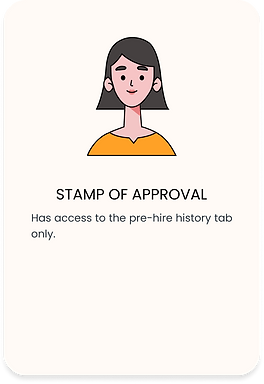
After the research phase, I was able to define that there are 3 user types:


3. Ideate
Brainstorming
After understanding the product, its main issues, and user types, I began brainstorming potential solutions. While stakeholders had two potential solutions, ensuring our chosen solution effectively addressed our targeted problems remained essential. Since TR Essentials deals with all employee-related information, it was really important to learn about the current platform that the company uses to store team member information. Upon digging into this more, I realized that the company uses Workday.
A quick Google search introduced me to Workday Extend, which allows for integrating external data sources with the platform. This integration is achieved through APIs and tools provided by Workday, creating a seamless flow of information into Workday Extend for a more customized experience.
Information Architecture
After it was agreed upon that the new TR Essentials platform would be built on Workday Extend, it was time to mark all the data points in the form of an Information Architecture. We had multiple rounds of brainstorming sessions and iterations to build this up.
-
Version 1.0.0

-
Version 1.0.1

-
Version 1.0.2

Sketches
After I had a solid idea of what goes where in the application, it was time to brainstorm and make sketches of the dashboard. For this, I started off by making low-fidelity paper sketches.


Wireframes
I developed wireframes to outline the process of creating a TM Vitals request on TR Essentials. These wireframes underwent several rounds of review with stakeholders, designers, and researchers from various teams. Based on their feedback, I iteratively refined the wireframes.

4. Prototype
Style Guide
In the process of building the high-fidelity prototypes, my team and I decided to leverage the Workday Design System, also known as the Workday Canvas Design System. This design system became my go-to for colors, fonts, icons, and all the building blocks that give a polished look.
However, the ready-to-go components from the design system weren't as plug-and-play as I hoped. So, I had to create all these elements from scratch. Another point to note here is that Workday doesn't explicitly mention that they have two different design systems, one for Workday and another one for Workday Extend. Moreover, being an Intern, I didn't have access to Workday Extend, so I wasn't able to note this until the developer noted that a few components were not available in Workday Extend. Luckily, there were only a few components that we had to change. It was a bit of a detour, but in the end, it ensured the prototypes had that smooth and consistent feel.
Hiccup No. 2
Hiccup No. 3

To create contrast, and draw attention to specific areas of the page, I used Workday Blueberry 400 (#0875E1) and Cantaloupe 400 (#FFA126). For text, I used Workday Licorice 300 (#5E6A75).
Blueberry 400
Cantaloupe 400
Licorice 300

Workday uses Roboto as its primary typeface so I used Roboto Bold for page headings and form headings, Roboto Medium for table headings, and Roboto Regular for normal text.
Aa
AaBbCcDdEeFfGgHhIiJjKkLlMmNnOoPpQqRrSsTtUuVvWwXxYyZz
Roboto Bold
Aa
AaBbCcDdEeFfGgHhIiJjKkLlMmNnOoPpQqRrSsTtUuVvWwXxYyZz
Roboto Medium
Aa
AaBbCcDdEeFfGgHhIiJjKkLlMmNnOoPpQqRrSsTtUuVvWwXxYyZz
Roboto
5. Test
Iterations
We had 4 rounds of iterations that helped us gradually improve the prototype. After each round of design, there were UX review sessions to get feedback from Senior UX Designers, Design Managers, and Engineers from other teams as well. Moreover, this product was being developed on the go, so a lot of user testing was done by the Senior Application Developer as well after each round. After getting thorough feedback, I used to make the desired changes to the prototype. A few key issues that I resolved after the feedback and testing sessions are as follows:
-
Changing the form navigation
-
Changing status display style
-
Adding more fields to the forms
-
Adding auto-populated text to form fields
-
Working on buttons

Final Design
Click through this prototype to learn how TR Essential Works!

KEY FEATURES OF TR ESSENTIALS
Now that we have the prototype ready, it is also very important to understand if we successfully addressed all the problems that we started with.
Key Feature 1:
TR Essentials was initially an in-house developed application but now it is built on Workday Extend which is a Vendor Solution. Workday Extend provides increased integration capabilities to connect with other systems and applications. These capabilities include APIs, webhooks, and data connectors.
Key Feature 2:
Almost all the fields are pre-populated, so the TRS has to barely fill anything out manually. This is so because of the integration between Workday (which has all team member data) and Workday Extend. The fields are mapped between the two systems. For example, the "Employee ID" field in Workday mapped to the corresponding field in Workday Extend. This, in turn, saves A LOT of time.
Key Feature 3:
Workday Extend, as part of the broader Workday ecosystem, is designed with security in mind to protect the sensitive data and information that organizations manage. So, TR Essentials is more secure now.
Key Feature 4:
Ease of use. Every TRS is familiar with Workday and since TR Essentials is now built on Workday Extend, which uses the same UI and functionalities like Workday, it is very easy for them to get acquainted to this system.
Key Feature 5:
Workday Extend aims to be cost and resource-effective for organizations by offering a low-code/no-code platform that allows businesses to quickly customize and extend their Workday applications without the need for extensive development resources. Moreover, traditional applications require ongoing maintenance, updates, and bug fixes. Workday Extend applications often benefit from the underlying platform's maintenance and updates, reducing the maintenance burden on organizations.
LEARNINGS
-
I adapted to ambiguity by flexibly addressing changing needs and unclear requirements due to stakeholder shifts. Through ongoing communication, agile design adjustments, and close collaboration with colleagues, I delivered user-centric solutions that aligned with the dynamic project environment.
-
I developed a strong sense of ownership over products by immersing myself in the entire design lifecycle. From ideation to implementation, I actively collaborated with cross-functional teams, solicited feedback, and iterated on designs. This holistic involvement empowered me to make informed decisions and advocate for user needs, ultimately driving the product's evolution in alignment with user-centric principles.
-
Recognizing the value of diverse perspectives, I shared my work with colleagues outside of design, enriching the critique process and fostering cross-functional collaboration to enhance user experiences and drive innovation in a dynamic environment.
IMPACT
-
Successful migration of TR Essentials, a crucial Employee Information Management application, from an internal system to a cutting-edge vendor solution. Managing data for a workforce of 22k+ employees, this shift signifies a major advancement in optimizing the workflows and embracing modernized efficiency.
-
Leveraging Workday's integration capabilities, this transition marked a significant leap in time efficiency. By pre-populating all fields, we streamlined data entry, enabling TRS teams to concentrate on strategic initiatives and nurturing growth and innovation. This shift transformed a formerly hours-long process into a lightning-fast 10-second operation, setting a new efficiency and effectiveness standard.
-
The migration to Workday Extend brought with it an indispensable enhancement in data security. With Workday Extend's amazing encryption mechanisms and stringent access protocols, employee data is now fortified against vulnerabilities, reassuring Rocket's commitment to safeguarding sensitive information and ensuring the confidence of the entire workforce.